Appearance
HTML Block
Type: Reference | Audience: Interface builder user
The HTML block renders custom HTML markup directly inside the view. Use it when you need layouts or styling that the other blocks cannot produce on their own.
Settings
| Setting | Description |
|---|---|
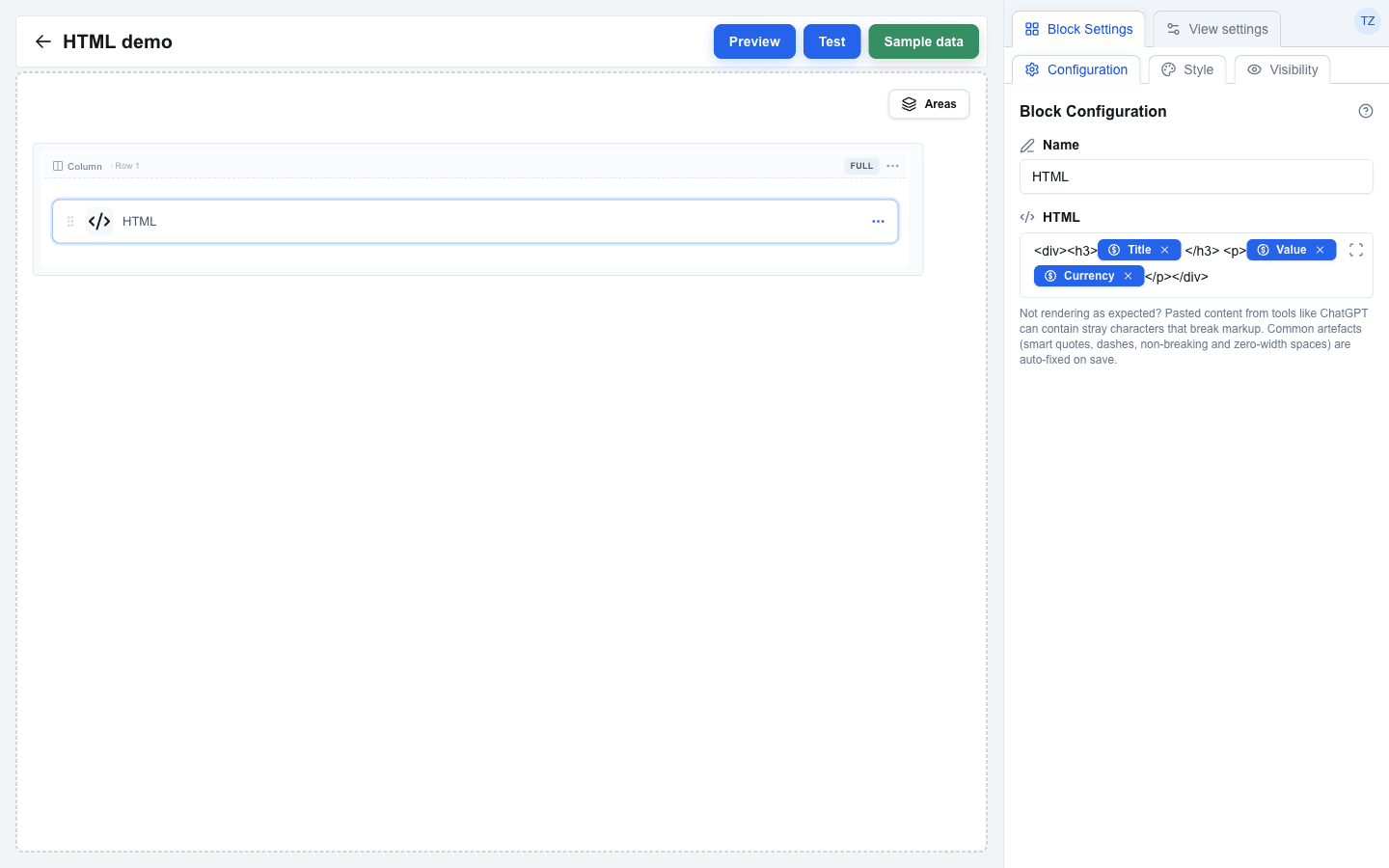
| HTML | The HTML markup to render. Supports the Data Picker -- Data Picker chips inserted into the markup are replaced with their resolved values at render time. Must contain at least one character. |
| Full width | Off by default: the block is as wide as its content, so a percentage width in the markup (width:100%, width:33%) is measured against that content. On: the block fills its column, and percentage widths are measured against the column. Turn it on for markup that should stretch across the row, such as cards that share a row equally. |
The same block in Preview mode renders as plain HTML with the chips replaced by the deal's data:

Input normalisation
Pasted content (e.g. from ChatGPT or a word processor) is normalised before it is saved:
- Smart quotes (
",",',') → straight quotes (",') - En and em dashes (
–,—) → hyphens (-) - Non-breaking spaces → regular spaces
- Zero-width characters and Windows line endings (
\r\n) are stripped
Valid HTML entities such as & are left intact. The normalisation is silent and only affects the saved value — the builder's editor view keeps the original characters until the page reloads.
Restrictions
<script>tags are rejected by the builder. Saving fails with the messageHTML should not contain script tags.- The rendered HTML is run through a sanitizer (DOMPurify): every tag or attribute that is not on the allow lists below is stripped silently. Inline styles via the
styleattribute are kept. - Every
aopens in a new tab:target="_blank"andrel="noopener noreferrer"are set on render and overwrite anytargetin the markup.javascript:URLs are removed fromhref. Anawith an emptyhrefor a bare#stays in the output; Table block cells and server message text render such a link as plain text.
Allowed tags
| Group | Tags |
|---|---|
| Text | p, br, hr, strong, b, em, i, u, s, strike, del, ins, sub, sup, small, mark, abbr, code, pre, blockquote, span, div |
| Headings | h1, h2, h3, h4, h5, h6 |
| Lists | ul, ol, li, dl, dt, dd |
| Tables | table, thead, tbody, tfoot, tr, th, td, caption, colgroup, col |
| Links and media | a, img, figure, figcaption |
| Disclosure | details, summary |
Allowed attributes
href, src, alt, title, width, height, colspan, rowspan, style
Style and Visibility
The HTML block uses the standard Style sub-tab (background, borders, radius) and Visibility sub-tab in Block Settings, the same as every other block. See Block Styles and Conditional Visibility.